¶ Solutions
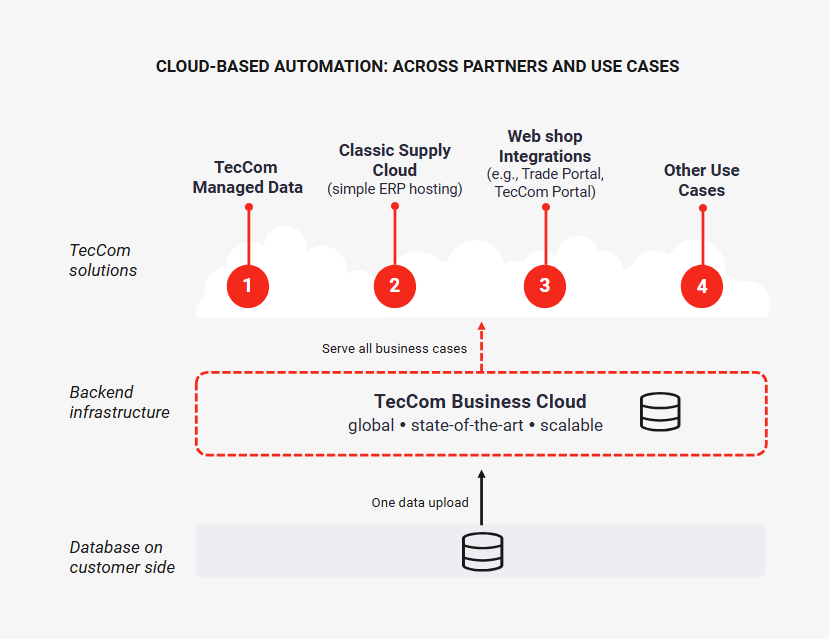
TecCom Business Cloud enables you to reach all TecCom network partners and carry out multiple businesses effortlessly.
A single upload of data on the cloud opens new opportunities like Classic Supply Cloud, TecCom Managed Data and Webshop integrations.
¶ TecCom Portal - Article Data
In TecCom Portal Menu Article Data you have the possibility as supplier to monitor your imports or search your article data. Buyers can monitor their exports, can create Templates and Subscriptions also search for article data.
As an Administrator you can enable Business Cloud Article Data in your Organization Details.
For this login to TecCom Portal, go to Administration Organization, choose your selected organization and enable Business Cloud Article Data.
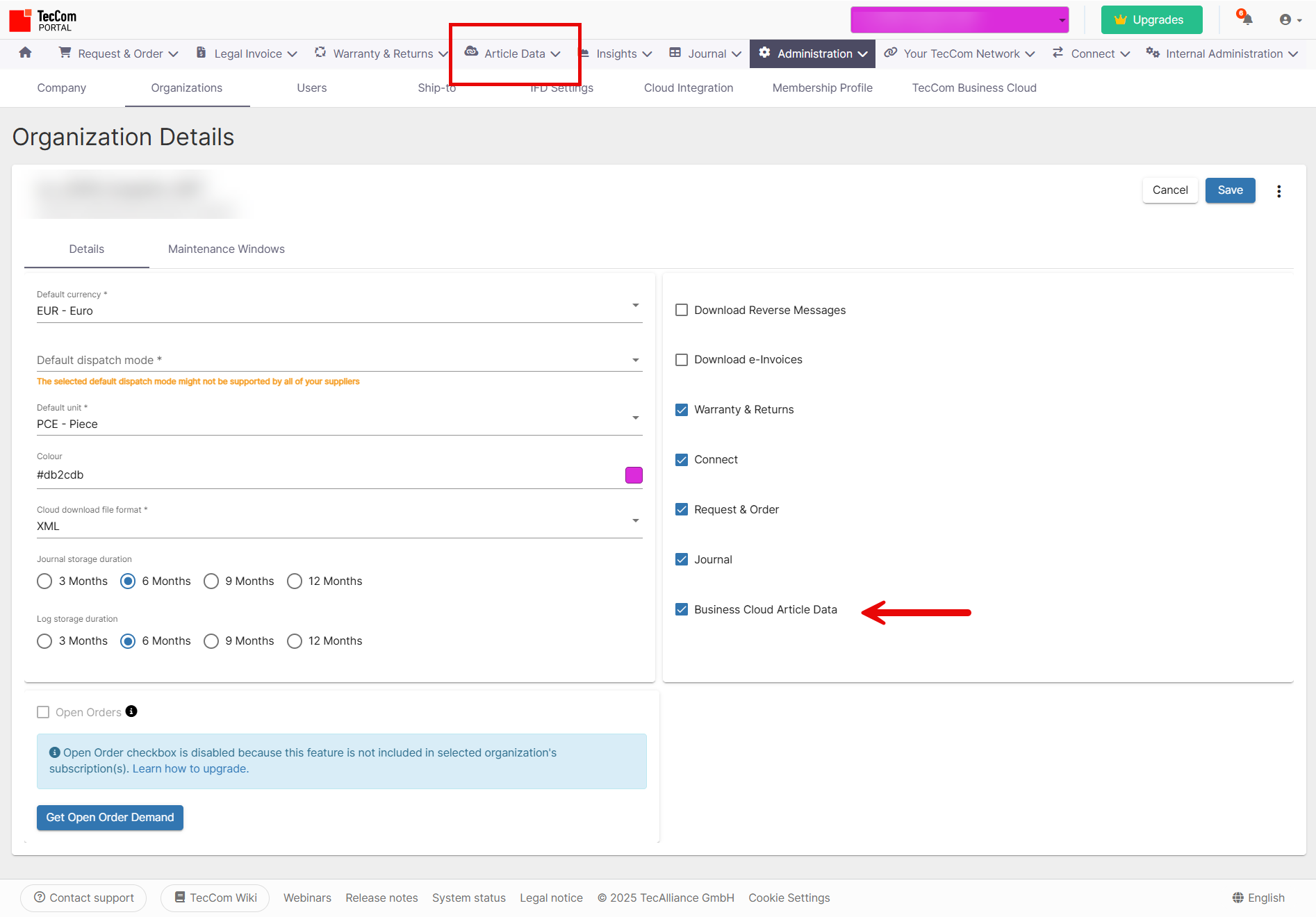
With saving this details the menu Article Data will be available in TecCom Portal.
¶ Supplier solutions
 Administration TecCom Business Cloud
Describes the necessary administration for being able to upload data for suppliers not using Connect 5 and download data for buyer
Upload process TecCom Business Cloud
Describes the necessary steps for uploading import data for suppliers not using Connect 5
Import API description
Describes the import API for TecCom Business Cloud
TecCom Business Cloud Import Specification
Describes the import files
TecCom Business Cloud Import Types
Describes allowed values for certain fields in the import files
Import Monitoring
Describes the Import Monitoring in TecCom Portal
Example Uploading Master and Inventory Data
Tutorial on how to upload master and inventory data
Classic Supply Cloud
Describes the solution Classic Supply Cloud
Classic Supply Cloud - Downloading Orders
Tutorial on how to get received orders
Article Search
Describes the Article Search in TecCom Portal
Data Api
Describes the Data API used by Article Search in TecCom Portal. Requests to Data API can also be done with client authorization.
 Download TecCom Business Cloud Postman Collection
To use this you need to create an environment with these variables:
| Variable | Type | Description |
|---|---|---|
| clientId | secret | Client ID for your client from TecCom Portal |
| clientSecret | secret | Client Secret for your client from TecCom Portal |
| tecId | default | TecCom ID for your organization |
| tomUser | secret | TecOpenMessaging web service user for your organization |
| tomPassword | secret | TecOpenMessaging web service password for your organization |
| tomLanguage | default | TecOpenMessaging web service language |
| importMode | default | Import mode for TecCom Business Cloud |
| importBlocking | default | Import blocking mode for TecCom Business Cloud |
¶ Buyer - TecCom Managed Data
Export Monitoring
Here you can find all information regarding TecCom Managed Data - Export Monitoring.
Subscriptions
Describes TecCom Managed Data - Subscriptions.
Templates
Describes TecCom Managed Data - Templates.
TecCom Businss Cloud Export and Subscription API
Describes our Export, Subscription and Template API. Requests to Export and Subscription API can be done with client authorization.
Article Search
Describes the Article Search in TecCom Portal
Data Api
Describes the Data API used by Article Search in TecCom Portal. Requests to Data API can also be done with client authorization.
Administration TecCom Business Cloud for Buyers
Describes the necessary administration for being able for requests to Export, Subscription and Data API with client authorization